1. Pick your video
Open KatKut AI, tap Select 1 video and choose a video of someone speaking, in any shape: vertical, horizontal or square.
KatKut AI listens to your video, writes the subtitles word by word and puts them on screen in a style people stop to read. Pick the language you speak, tap Generate, and your captioned video is ready to post, on iPhone or Android.


 Used by 5,000+ creators around the world
101 spoken languages Timed to every word Free to start
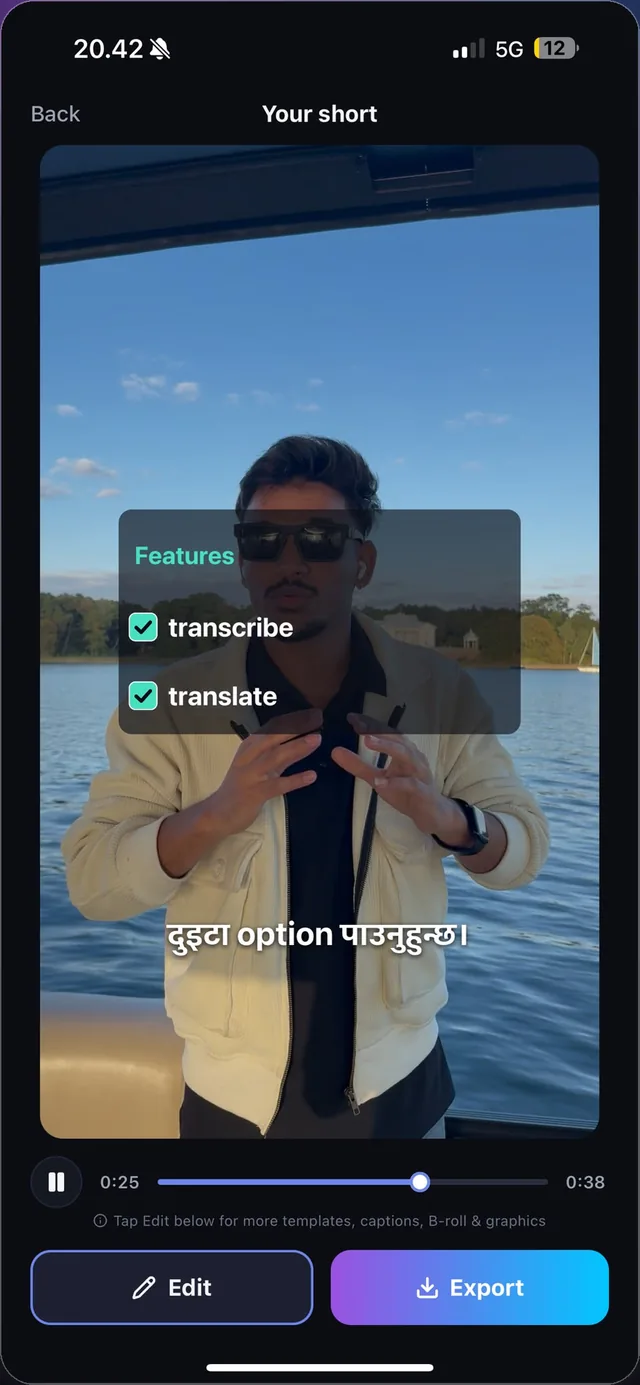
Three steps, a few taps, no typing.
Open KatKut AI, tap Select 1 video and choose a video of someone speaking, in any shape: vertical, horizontal or square.
Select the language spoken in the video from 101 and tap Generate. The audio is transcribed with a timestamp for every word.
Read the subtitles, fix a name if you need to, switch the caption style in one tap and export. The video is saved to your gallery.
Most people watch with the sound off. Good captions are what keep them watching.
Subtitles are written from what you actually said, in the language you said it, and each word appears as you say it.
Choose from eye-catching styles, many of them animated word by word, and change the colour, font, size and position to suit your video.
Tap any subtitle to rewrite it, drag to retime it, or delete it. Every change shows instantly and can be undone.
Subtitles are drawn into the exported video, so they appear on TikTok, Instagram, YouTube, Facebook and LinkedIn, and for everyone watching on mute.
Open KatKut AI, tap Select 1 video, choose the language spoken in the video and tap Generate. The app transcribes the speech, writes word-timed subtitles and shows the finished video. Edit any line, then tap Export.
Yes. The free plan includes automatic subtitles in every language, with 4 minutes of video a month and videos up to 1 minute long. Free exports carry a watermark; paid plans from $3.99 a month remove it and add more minutes.
Speech in 101 languages, including English, Spanish, Portuguese, French, German, Hindi, Arabic, Japanese, Korean and Chinese. Subtitles can also be translated into any of 140 languages.
Yes. Subtitles are burned into the exported video, vertical 9:16 or widescreen 16:9, so they look the same on every platform. KatKut AI saves a finished video rather than a separate subtitle file.
Download KatKut AI, pick a video and get word-timed subtitles in a few taps.
Used by 5,000+ creators around the world
Requires iOS 16.4 or later on iPhone. Studio needs a free account (Apple or Google sign-in).