What is KatKut AI Studio?
Studio is the AI video editing tool inside the KatKut AI app for iPhone and Android. You import one talking-head video and choose the spoken language and the caption language. Studio generates word-timed captions, optional translation, matching stock B-roll, motion graphics and an opening hook. You can edit every part in a timeline editor, then export a vertical 9:16 or widescreen 16:9 video to your gallery.
How does KatKut AI edit a talking-head video automatically?
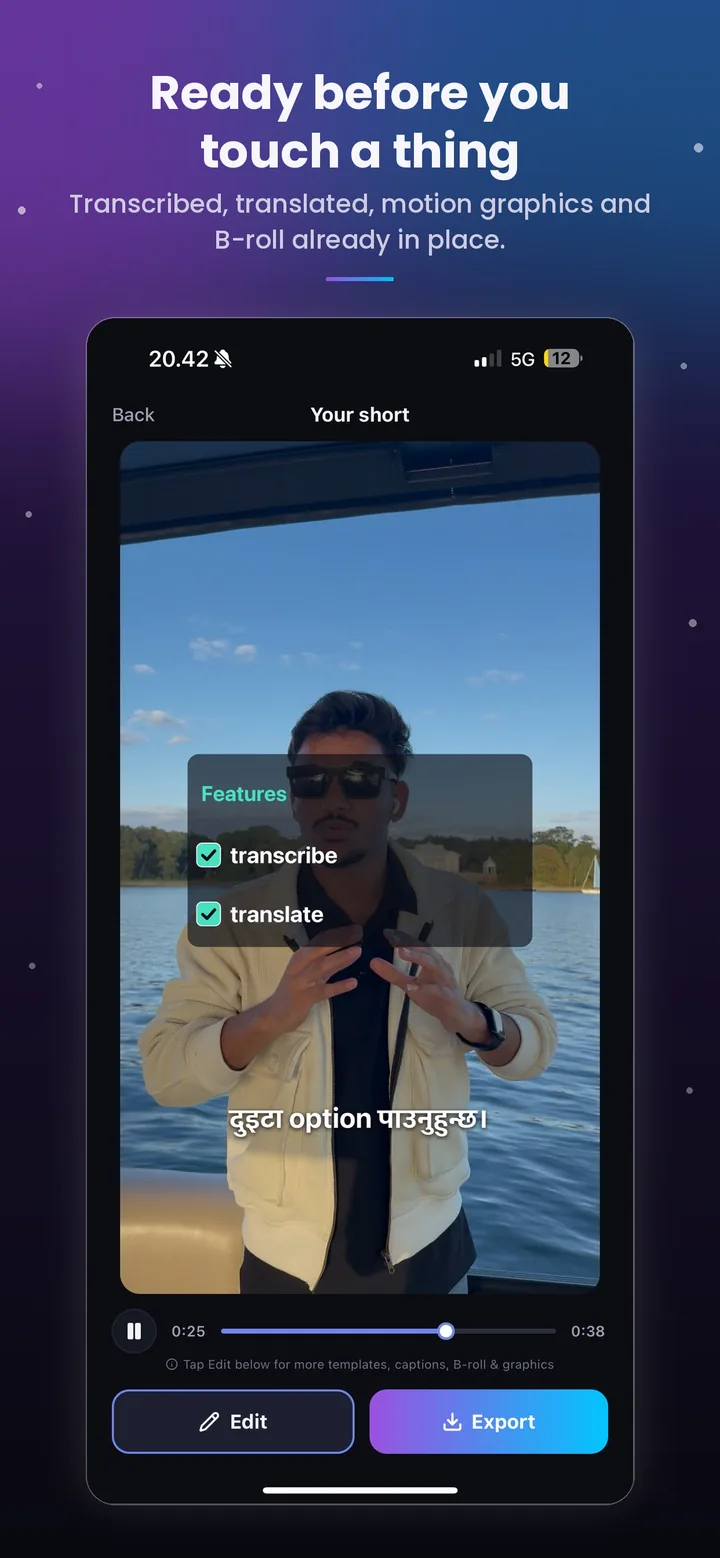
Studio extracts the audio from your video on your phone and sends only that audio to a speech-to-text service, which returns a transcript with a timestamp for every word. An AI model then splits the transcript into captions and, if Smart B-Roll is on, chooses the moments for stock footage, motion graphics, sound effects and transitions, and writes the opening hook. Short search terms are used to find licensed stock footage in the shape of your video, which is downloaded to your phone, and the graphics are drawn by the app. The app checks every caption and cutaway for timing and overlap, then shows you the result before anything is rendered.
How do I generate captions and subtitles for a video?
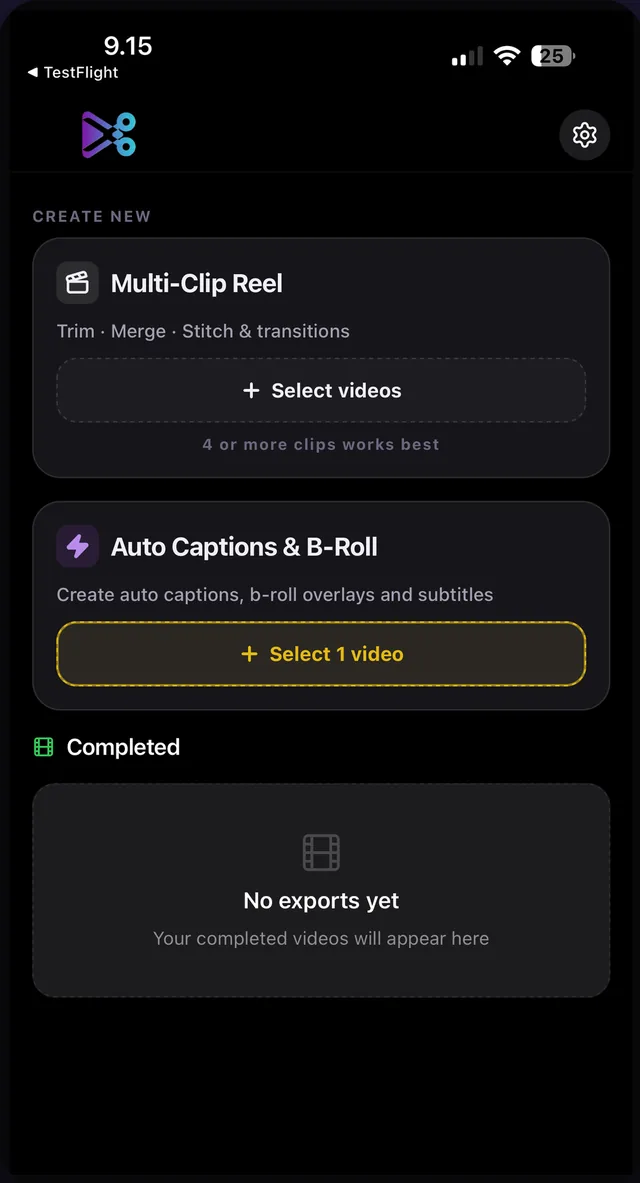
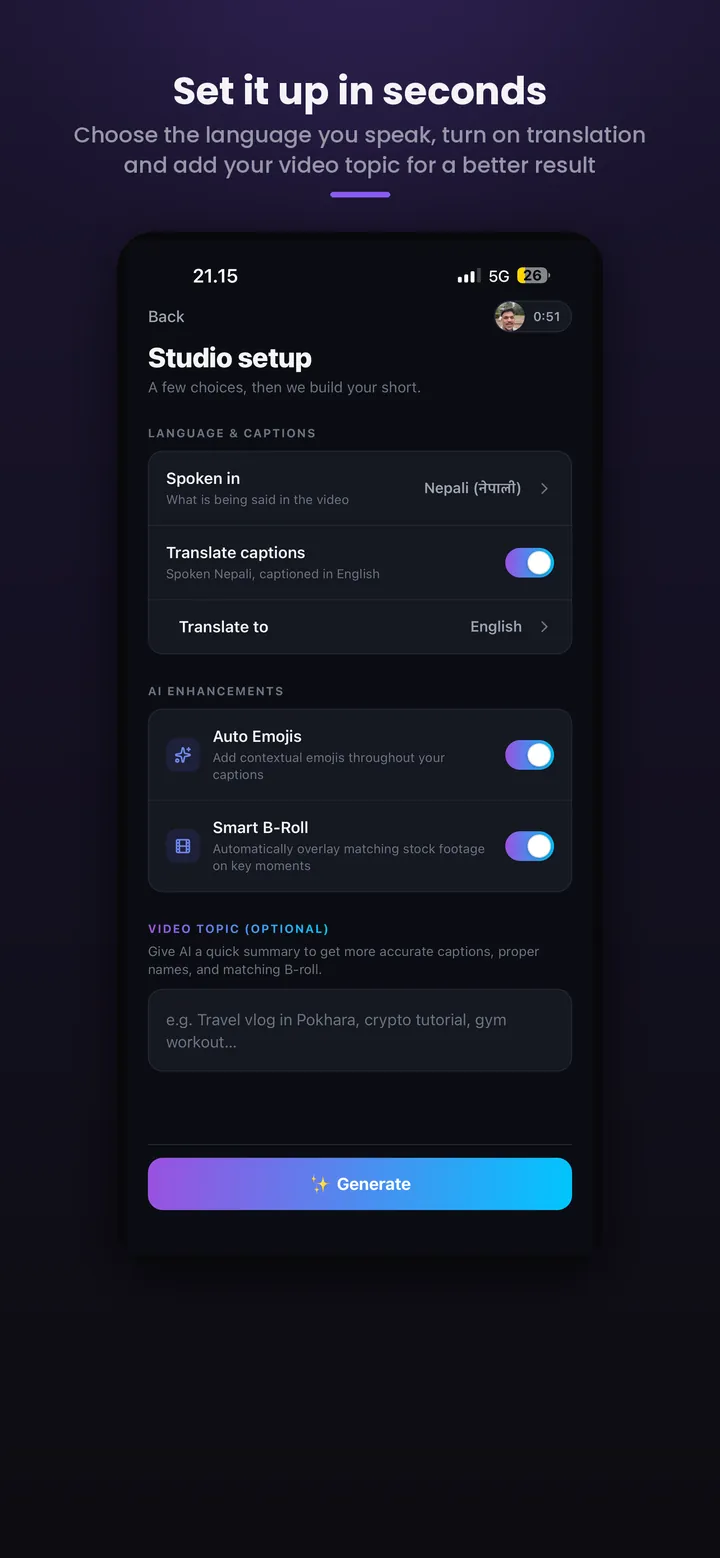
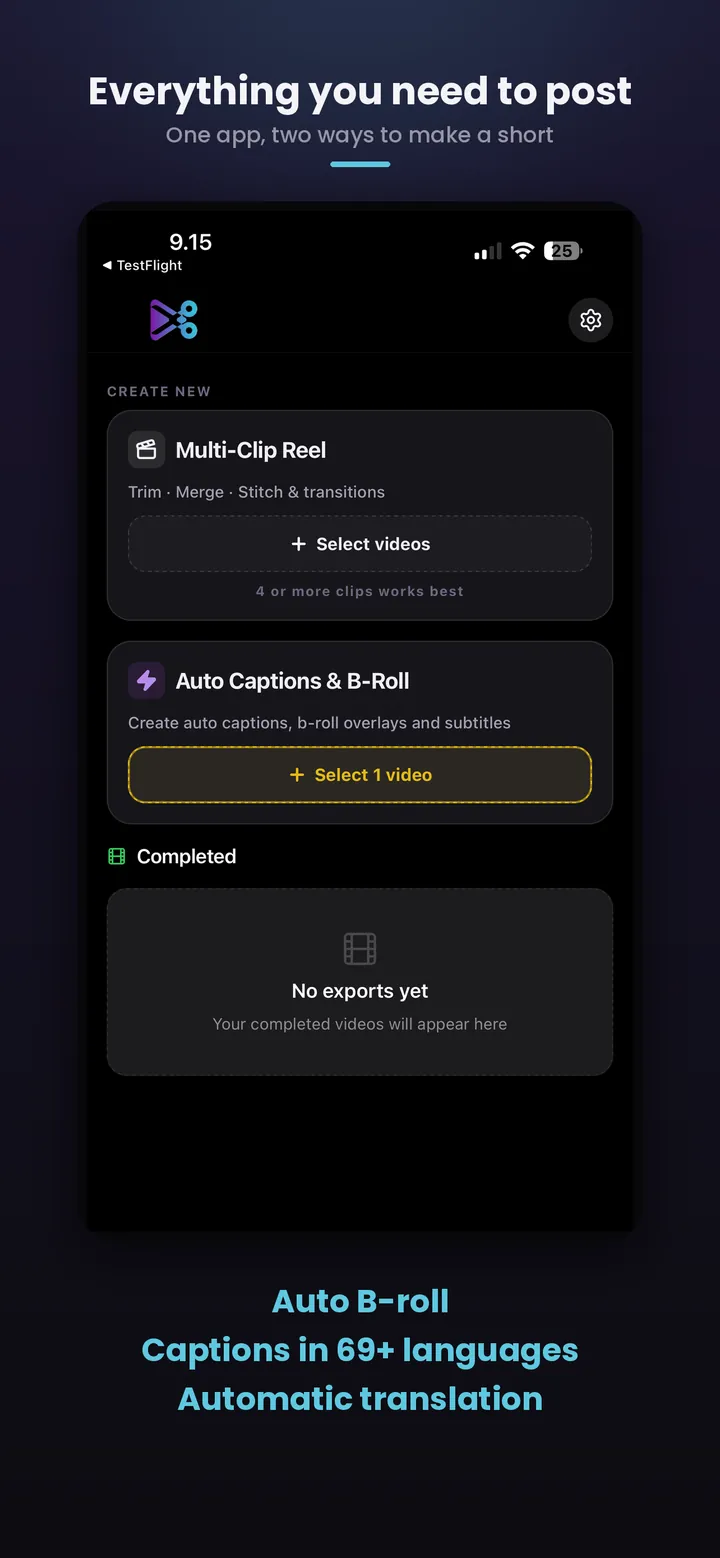
Open KatKut AI, tap Select 1 video, pick a video, set the spoken language, and tap Generate. Captions are created automatically and burned into the video when you export. You can change the caption style, colour, font, size and position in the editor before exporting.
How do I select the spoken language?
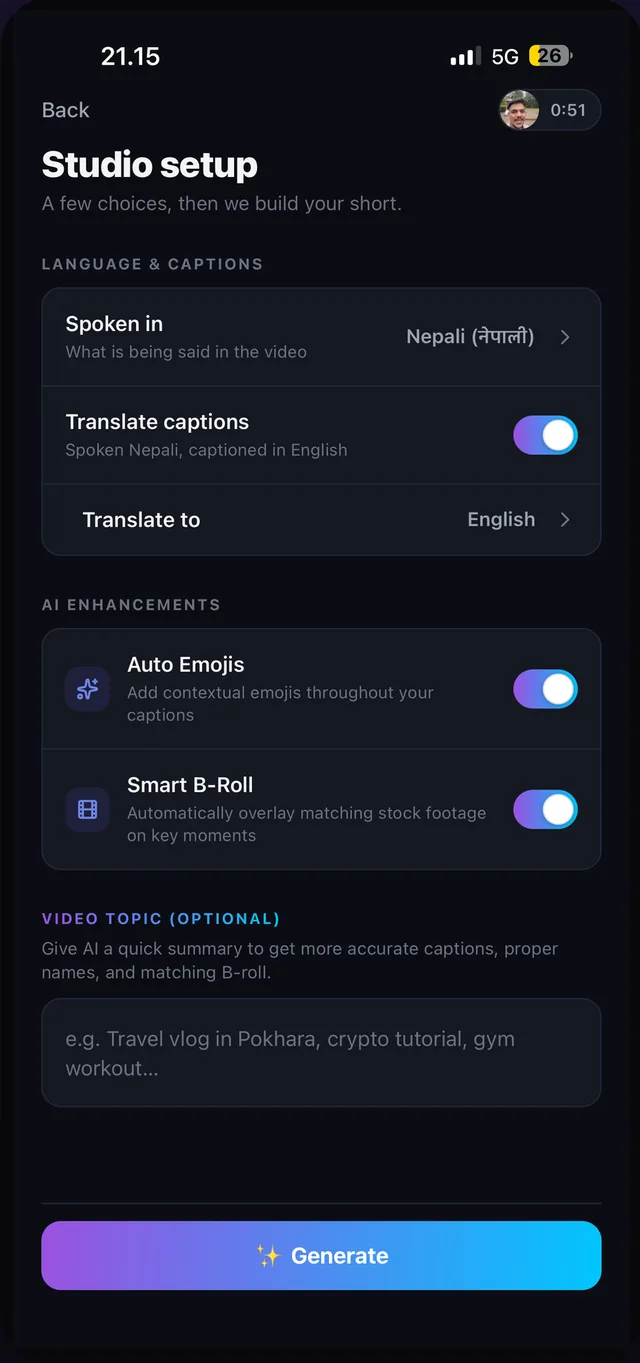
On the Studio setup screen, tap Spoken in and choose from the list of 101 languages. You can search the list by name. The language you pick is passed to the transcriber, so choosing the right one is what makes the captions accurate.
How do I translate captions into another language?
On the setup screen, switch on Translate captions and choose a Translate to language. The spoken language and the caption language are set independently, so any of the 101 spoken languages can be the source and any of the 140 caption languages the target. Translated captions can still be edited line by line in the editor.
Can I caption in my own script or in Roman letters?
Yes. For languages not written in Latin letters, such as Hindi, Japanese, Arabic or Nepali, captions use the native script, or switch on Romanised captions on the setup screen for Roman letters. Romanising keeps your exact words and changes only the letters, so नमस्ते becomes namaste. Choosing a different caption language translates instead.
How does automatic B-roll generation work?
With Smart B-Roll turned on, the AI reads the meaning of what you said and searches for licensed stock footage that illustrates it, for example footage of a street market when you talk about one. Each clip starts on the word it illustrates, is kept short, and is balanced so the focus stays on you. Footage is searched in the shape of your video: portrait for 9:16, landscape first for 16:9. Your voice continues under every cutaway. You can move, trim or remove any clip in the editor, or turn the feature off entirely.
How do the motion graphics work?
Automatically. Our AI reads the whole video, finds the moments worth showing and adds animated graphics for them, timed to your words and laid out for 9:16 or 16:9. You can change a graphic's words and numbers, move it or delete it. Graphics are added whenever Smart B-Roll is on.
What is the opening hook?
A hook is the short line on screen in the first seconds that tells viewers why to keep watching. Studio writes one automatically, up to six words taken from what you say near the start of your video, and animates it over the opening to help your video reach more people. You can rewrite it, change its look, colour or font, or delete it. Studio writes a hook only when Smart B-Roll is on and your opening gives it something specific to say.
Can I make a video with captions only?
Yes. Leave Smart B-Roll off on the setup screen and Studio adds captions only: no stock footage, stickers, motion graphics or hook. Translation, Roman script and every caption style still work.
Does Studio add sound effects and transitions?
Yes, automatically. With Smart B-Roll on, cutaways slide or flash in with smooth transitions, and graphics, stickers and cutaways get sound effects that match what happens on screen, all timed for you. Your voice keeps playing throughout, and you can move or delete any clip in the editor.
Can I manually edit the captions, B-roll and graphics?
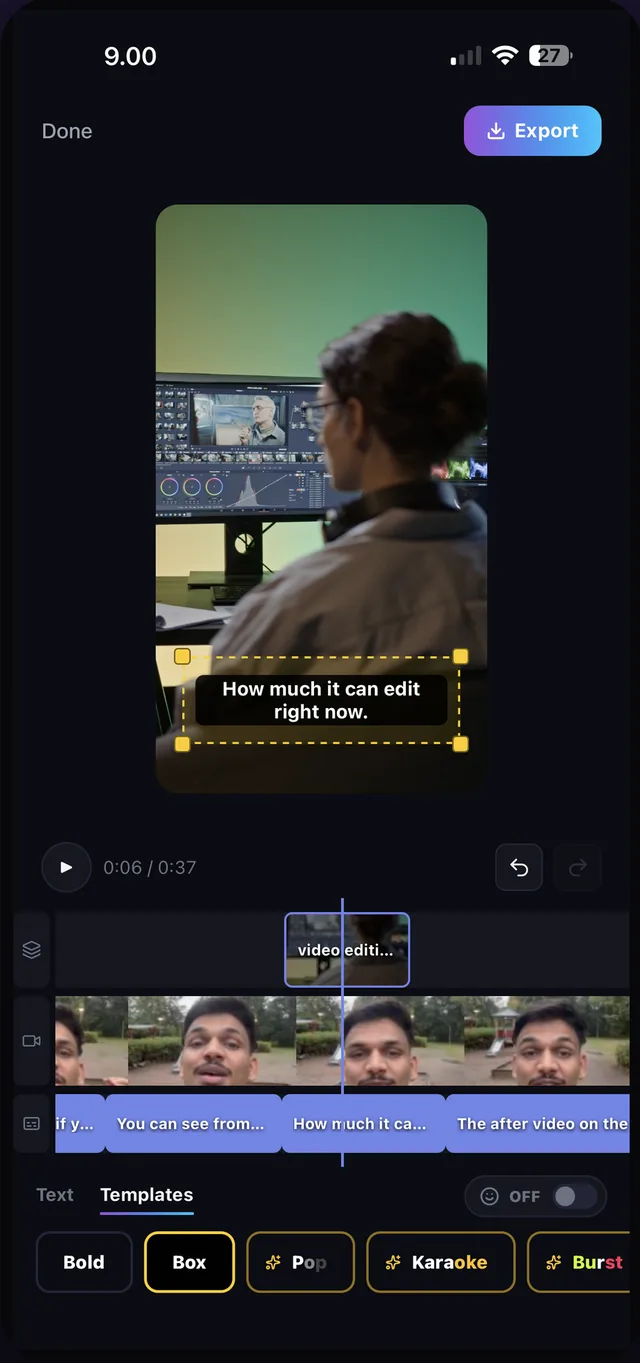
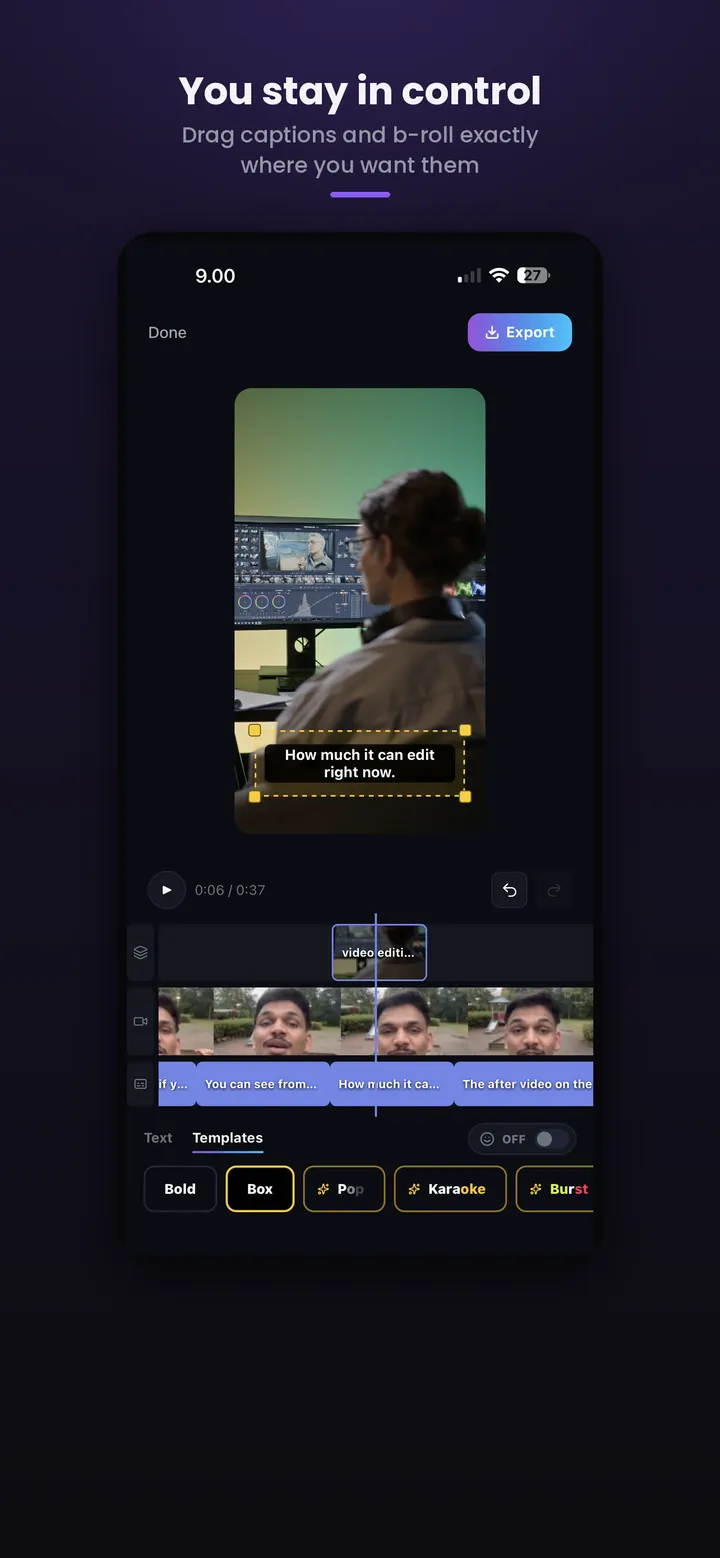
Yes. The editor has a live preview and a timeline with three tracks: overlays (B-roll, stickers, graphics and the hook), your footage and captions. Tap a caption to rewrite its text, drag its handles to change when it appears, or delete it. Drag a B-roll clip to move it, trim its start or end, or remove it. Select a graphic or the hook to change its words. Switch the caption style and set the text colour, font, position and size. Undo and redo cover every change. Nothing is re-encoded while you edit; the video is rendered once, when you tap Export.
How do I export the finished video?
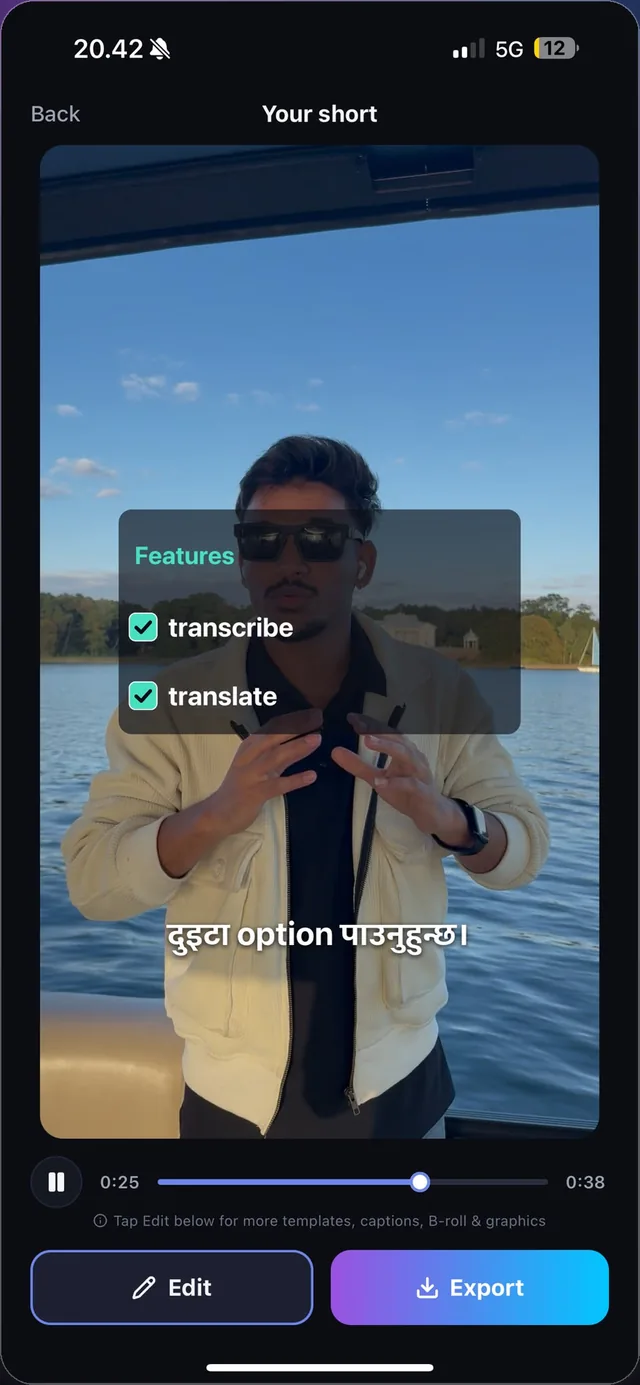
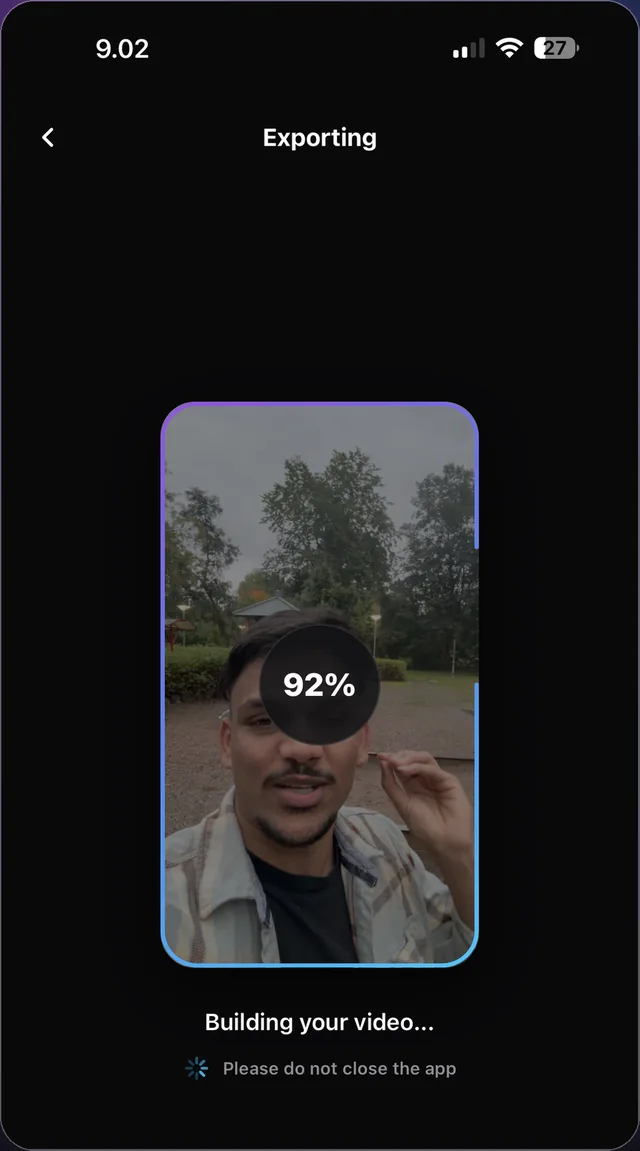
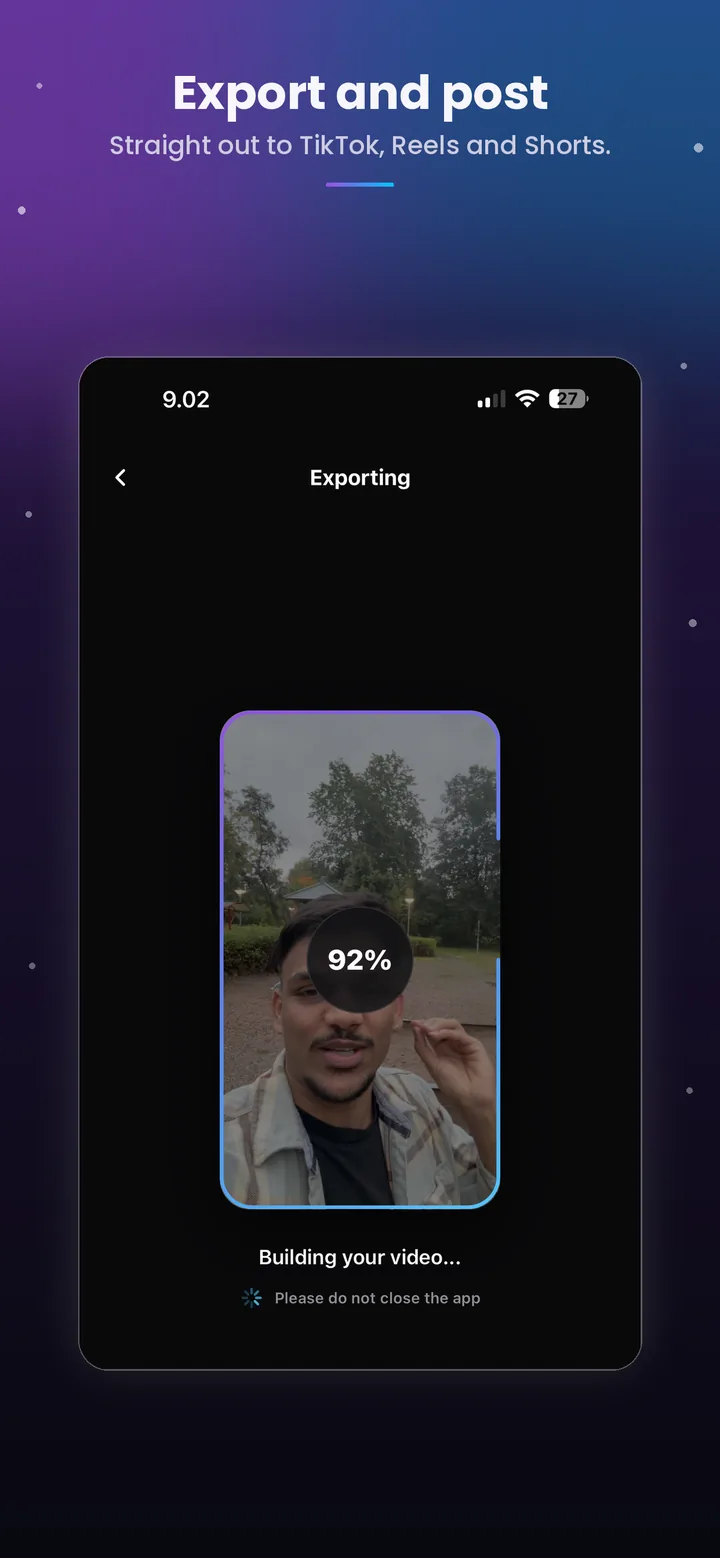
Tap Export in the editor or on the result screen. The video is rendered on your phone using the hardware encoder and saved to your device gallery as a 9:16 or 16:9 video at your source resolution. Share buttons appear when it finishes and open your phone's share sheet, for TikTok, Instagram, YouTube, Facebook, LinkedIn or CapCut. Free exports include a watermark; exports on a paid plan do not.
Can I make a 16:9 video for YouTube?
Yes. When you pick a horizontal or square video, the setup screen asks for the format: 9:16 for TikTok, Instagram Reels, YouTube Shorts and Facebook Reels, or 16:9 for YouTube, Facebook and LinkedIn. 16:9 is preselected for a horizontal video and 9:16 for a square one; a vertical video is always exported 9:16. Captions, motion graphics, the hook and B-roll are laid out for the format you choose, and a 16:9 export is 1920×1080, or 1440p or 4K when your source and phone support it.
What if my video is horizontal, square or 4:5?
It is shown in full and centred. When its shape differs from the frame you chose, for example a square or 4:5 video, or a horizontal video in 9:16, the setup screen asks what fills the space around it: Blur, a soft blurred copy of your own video, or Black, classic black bars.
What is free, and what do paid plans add?
On the free plan, Studio captions up to 4 minutes of video per month, up to 2 of them AI-enhanced (translation, romanised captions or Smart B-Roll), each video up to 1 minute long, with a watermark on exports and ads before and during export. Every feature is included: all languages, translation, B-roll, motion graphics, hooks and caption styles. Paid plans raise the allowance and remove the watermark and ads: Pro costs $3.99 per month for 60 minutes (20 AI-enhanced) and videos up to 2 minutes; Pro Plus costs $6.99 for 150 minutes (40 AI-enhanced) and Pro Max $9.99 for 300 minutes (80 AI-enhanced), both with videos up to 5 minutes. The local price may vary on the App Store. Plans are purchased from Settings in the app: through Apple's in-app purchase on iPhone, and through a secure Stripe checkout on Android.
Is my video uploaded? How is it processed?
Your video file is never uploaded. Studio extracts the audio track on your phone and sends only that audio to a transcription provider. The text transcript, plus the optional topic you typed, is sent to an AI model to write captions and choose B-roll search terms. Search terms alone are sent to the stock footage providers. Neither the audio nor the transcript is stored on our servers. Rendering and export happen entirely on your phone. The full list of providers is in the privacy policy.
What kind of videos work best?
One clip of a person speaking to the camera, recorded in a reasonably quiet place, in a single language. Studio takes exactly one video per project. If you have many short clips rather than one, use the Multi-Clip Reel tool instead.
How do I add music or a voiceover?
Studio keeps your original voice and adds captions, B-roll, graphics, a hook, sound effects and transitions. To add music or a voiceover, use the share buttons on the export screen to open the finished video in CapCut, TikTok or Instagram and add it there.