1. Turn on Smart B-Roll
Pick your video, choose the spoken language and switch on Smart B-Roll on the setup screen.
KatKut AI reads what you say, finds licensed stock footage that matches and cuts it in on the word it illustrates. Your voice keeps playing underneath, so the video stays yours and gets more interesting to watch.


 Used by 5,000+ creators around the world
Licensed stock footage Placed on the right word Free to start
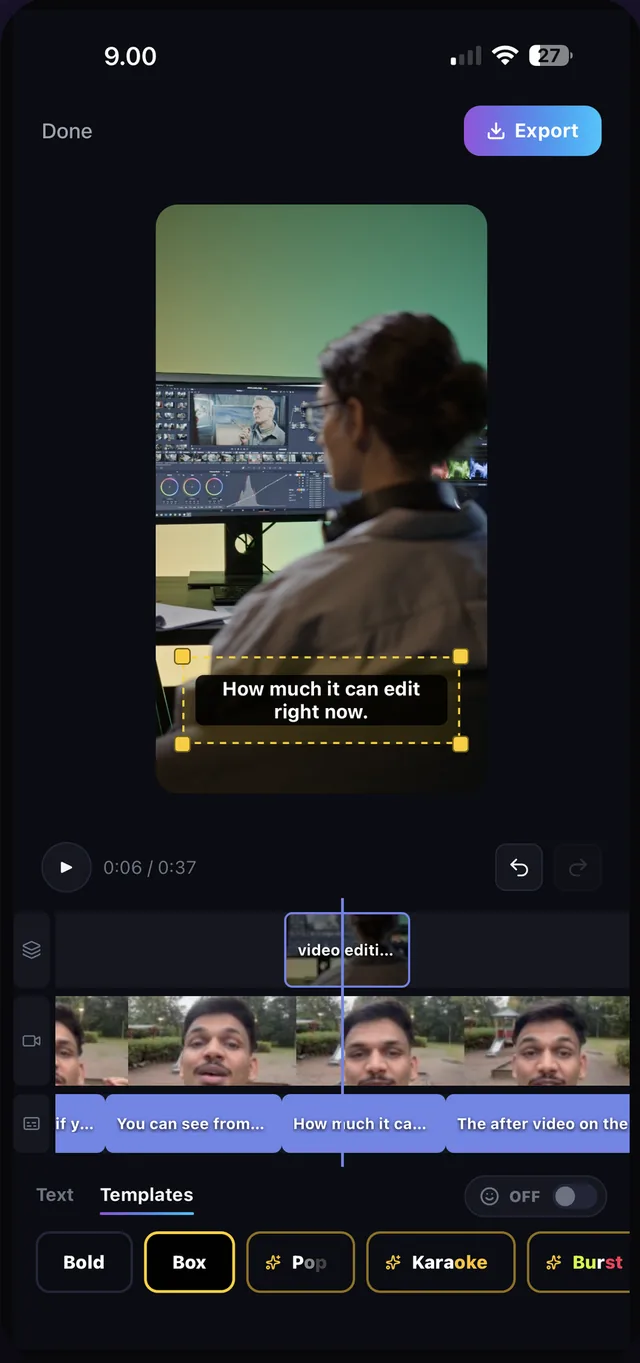
Switch it on once. The AI does the searching and the cutting.
Pick your video, choose the spoken language and switch on Smart B-Roll on the setup screen.
An AI model reads your transcript, works out what each moment is about and searches licensed stock footage for a clip that fits.
Each clip starts on the word it shows and stays short, with a smooth transition and a sound effect, while your voice continues.
Cutaways keep a talking video moving and give viewers something to look at.
Footage is searched in the shape you export: portrait clips for a 9:16 video and landscape clips for a 16:9 one.
Clips are short and spaced out, so the video keeps coming back to you.
Every cutaway sits on the timeline. Move it, shorten it or delete it before you export.
Smart B-Roll also adds motion graphics, stickers, sound effects, transitions and the opening hook. Leave it off for captions only.
B-roll is extra footage shown over the main video while the speaker keeps talking, for example a street scene while you talk about a city. It makes a talking video more interesting to watch.
From licensed stock video libraries. The AI chooses real stock clips that match what you say, and only the search words are sent to find them.
Yes. Every clip is on the timeline, where you can move it, trim it or remove it.
Yes. Smart B-Roll is included on the free plan for up to 2 minutes of video a month, and for 20, 40 or 80 minutes a month on paid plans.
Download KatKut AI, pick a video of yourself talking and switch on Smart B-Roll.
Used by 5,000+ creators around the world
Requires iOS 16.4 or later on iPhone. Studio needs a free account (Apple or Google sign-in).