Pick one video
Open KatKut AI, tap Select 1 video and choose a clip of you talking to the camera. Free accounts can use videos up to 1 minute long; Pro allows 2 minutes, and Pro Plus and Pro Max 5 minutes.
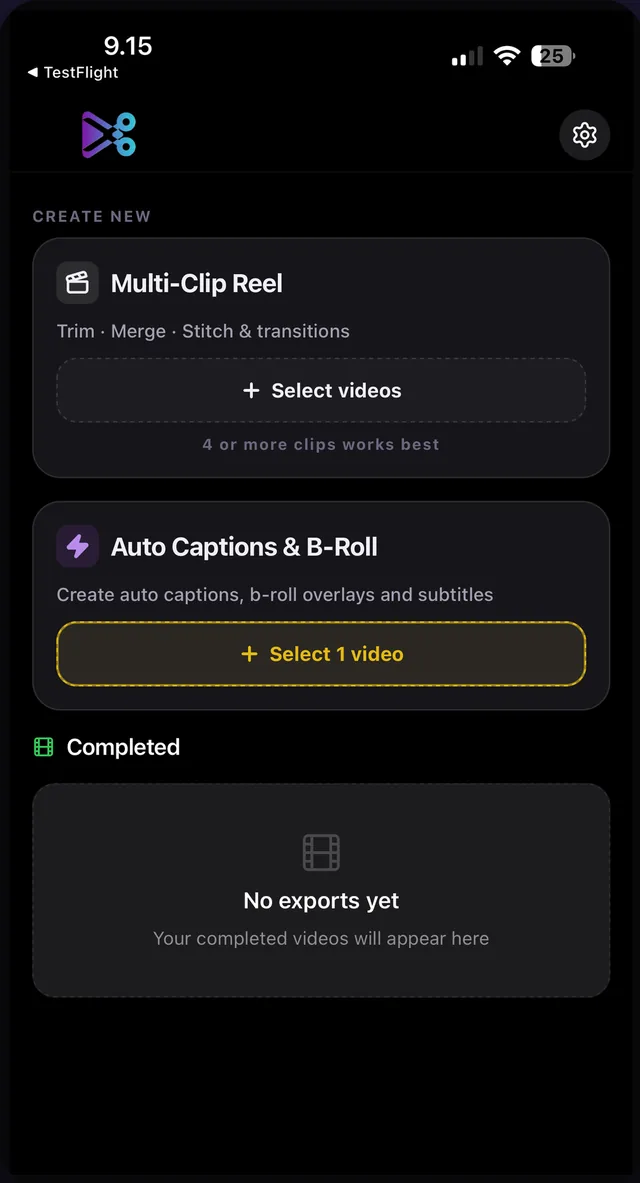
Record yourself talking and KatKut AI does the editing. It writes word-timed captions in the language you speak, translates them if you want, cuts in matching B-roll, turns the prices, lists, places and dates you mention into animated graphics, and can open with a short hook taken from what you said. Change anything you like, then export a 9:16 video for TikTok, Instagram Reels or YouTube Shorts.


Free on iPhone and Android 101 spoken languages, 140 caption languages Your video file is never uploaded
See how it works
The editing that usually takes an hour in a timeline editor, done in one pass and left open for you to change.
KatKut AI transcribes your speech with a timestamp for every word and keeps the captions in the words you actually said. Choose from 13 caption styles, six of them animated word by word.
How captions workSet the spoken language and the caption language separately. Speak English and caption in Spanish, speak Japanese and caption in English, or keep the language you spoke. Every translated line stays editable.
Translate video captionsFor languages not written in Latin letters, caption in the native script or in Roman letters: नमस्ते or namaste, こんにちは or konnichiwa. Romanising keeps your words and changes only the letters.
Native or Roman, explainedThe AI works out what each moment is about and cuts in licensed stock footage that matches. Cutaways stay short, never cover more than half the video, and your voice keeps playing underneath.
How B-roll is chosenMention a price, a percentage, a list, a place, a route, a time or a date, and KatKut AI can draw it as an animated graphic: a price stamp, a ring that fills to the number, a pin dropping on a map. 28 designs, all drawn by the app, with text and numbers you can edit.
See the motion graphicsKatKut AI writes a hook of up to six words from what you say in the first seconds and shows it over the opening in one of ten animated designs. Change its words, design, colour or font.
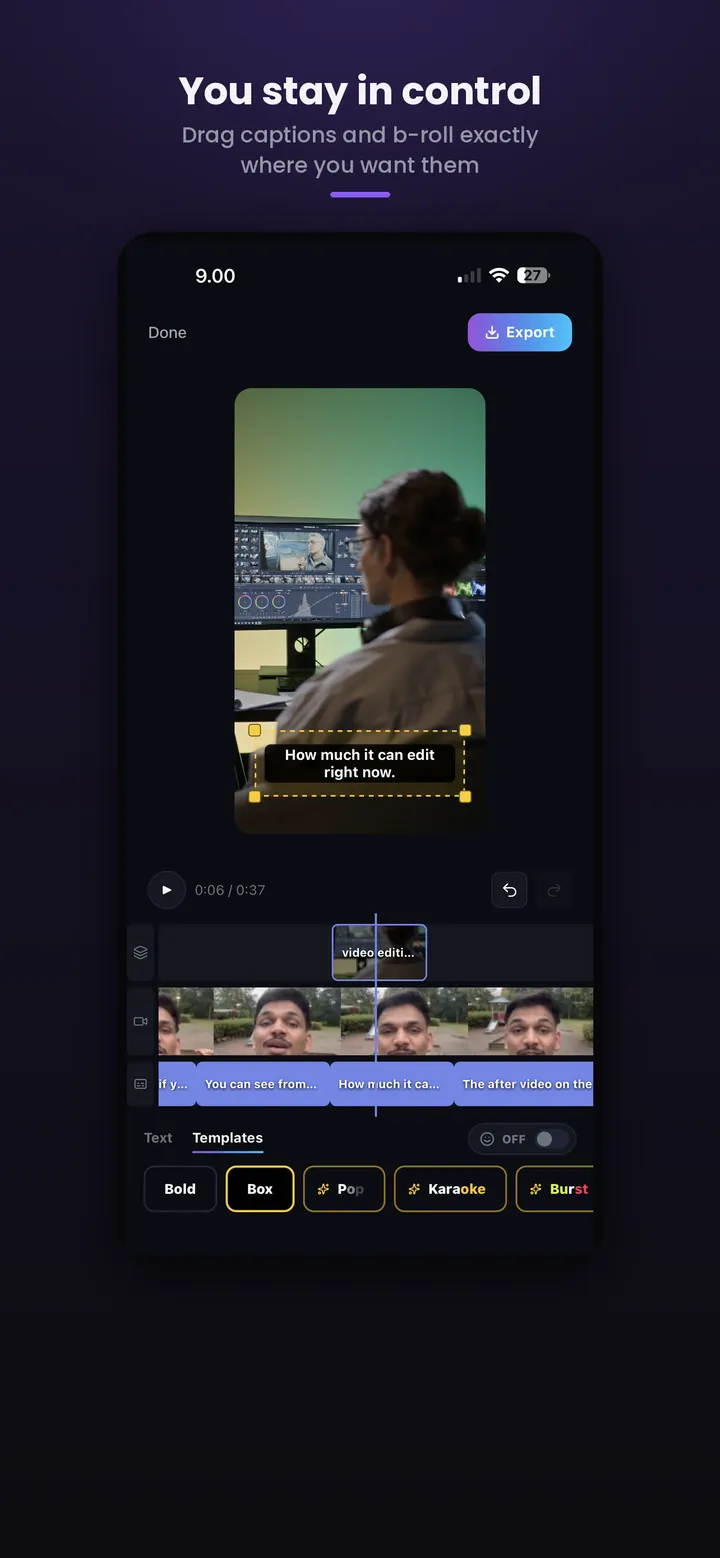
How the hook is writtenCaptions, cutaways, graphics and the hook all sit on one timeline. Rewrite, retime, move, restyle or delete any of them, with undo. Nothing is re-encoded until you tap Export.
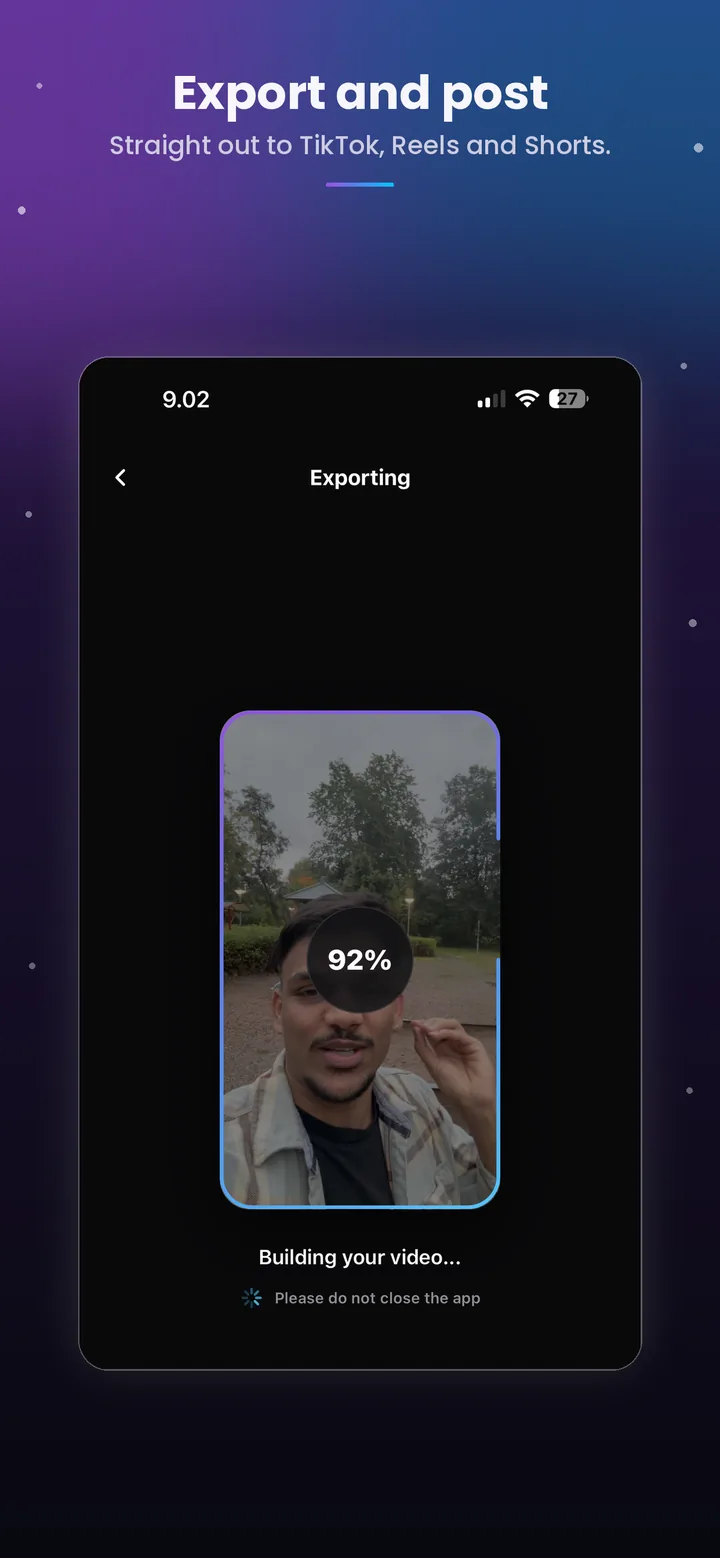
What you can editYour phone's hardware encoder renders the final 9:16 video once, at your source's resolution (1080p, 1440p or 4K where your device supports it), and saves it to your gallery.
About the exportIt is built for one job: turning a video of you talking into a short you can post.
You get a finished short first and a timeline second. The automatic result is the starting point, and you change only what you want to.
101 spoken and 140 caption languages, with English in the same list as Japanese, Turkish, Hindi and Arabic. Languages not written in Latin letters can be captioned in Roman letters, and prices are drawn in the currency you said them in.
Say "40 percent" and a ring fills to 40. Talk about travelling from one city to another and the route can be drawn between them. There is no template to fill in.
Only the audio is sent for transcription, and the video is rendered on the device. Multi-Clip Reel runs entirely on the phone.
What KatKut AI does not do: it does not add music or a voiceover, Studio works with one video at a time (use Multi-Clip Reel for many clips), and exports are vertical 9:16.
You make three or four choices. KatKut AI does the transcription, the writing, the footage search and the graphics, then hands the result back to you before anything is rendered.
Open KatKut AI, tap Select 1 video and choose a clip of you talking to the camera. Free accounts can use videos up to 1 minute long; Pro allows 2 minutes, and Pro Plus and Pro Max 5 minutes.
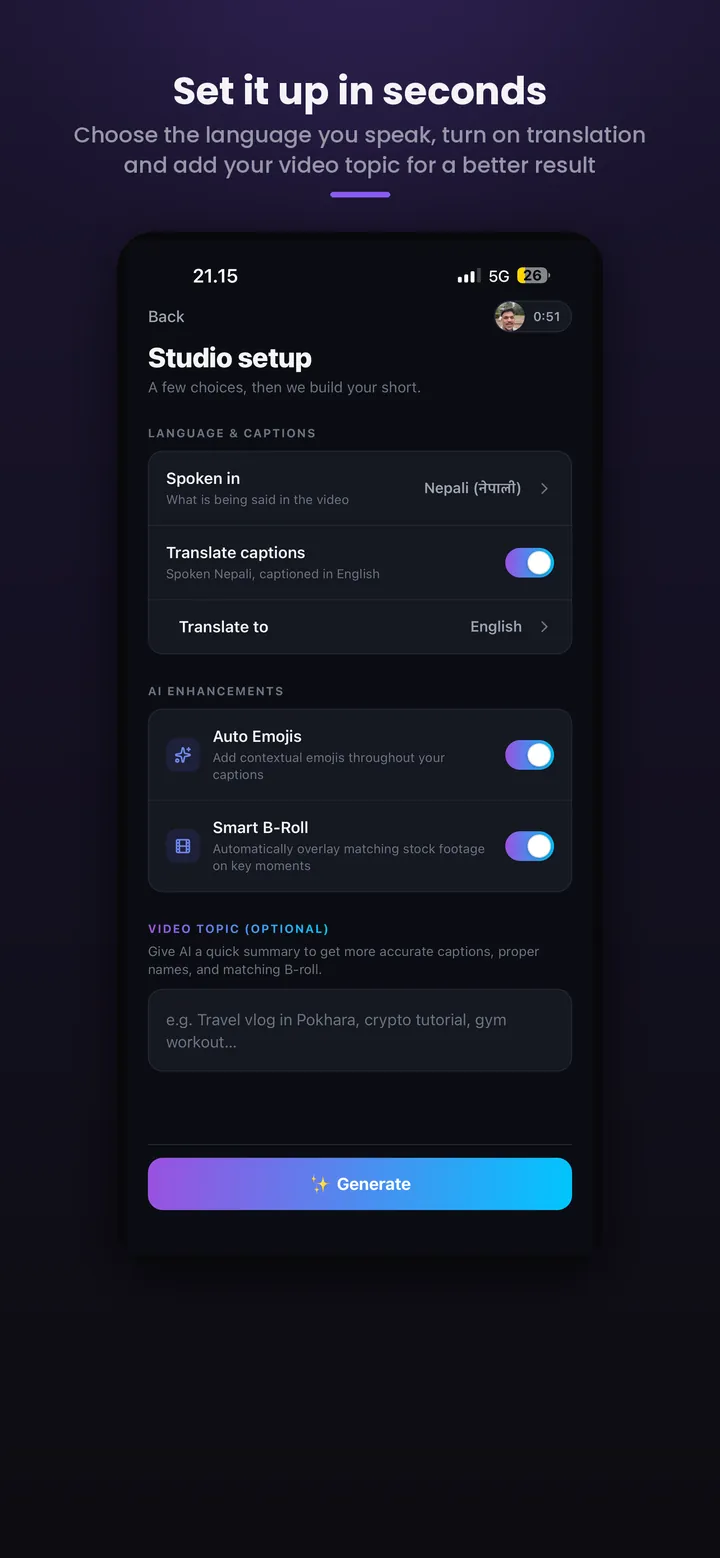
Set the language you speak. Turn on Translate captions to caption in another language, choose native or Roman script where that applies, and add a one-line topic if you like, so names and places come out right.
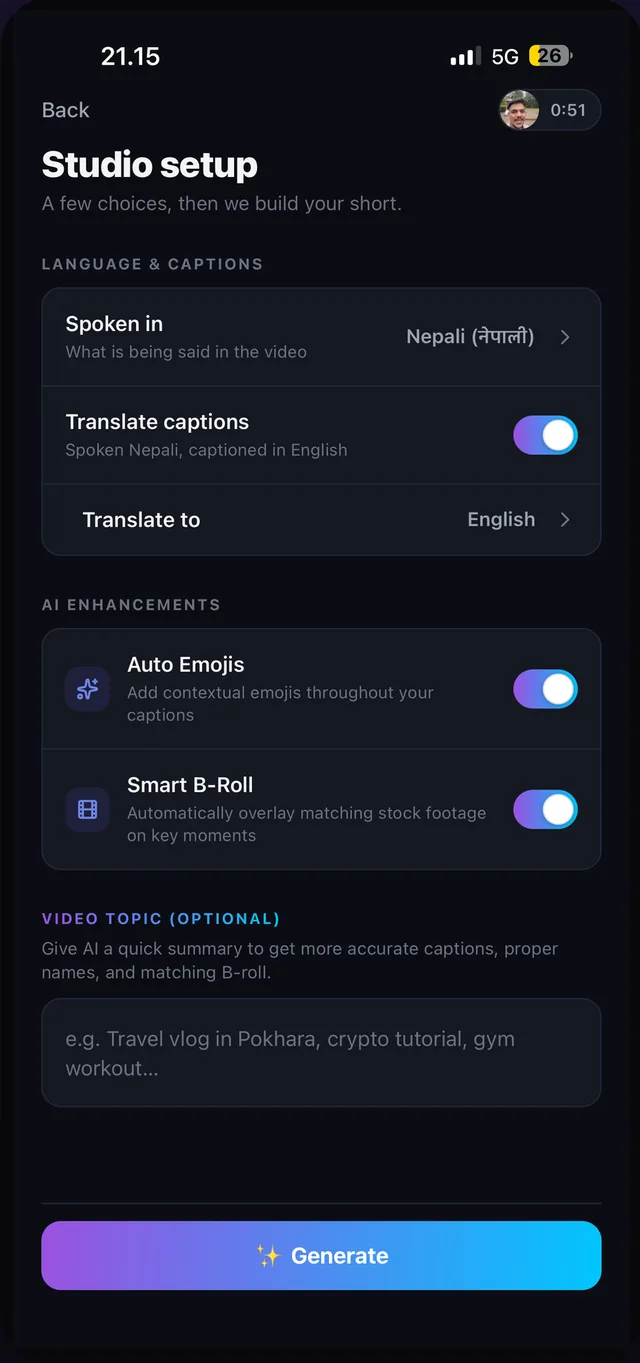
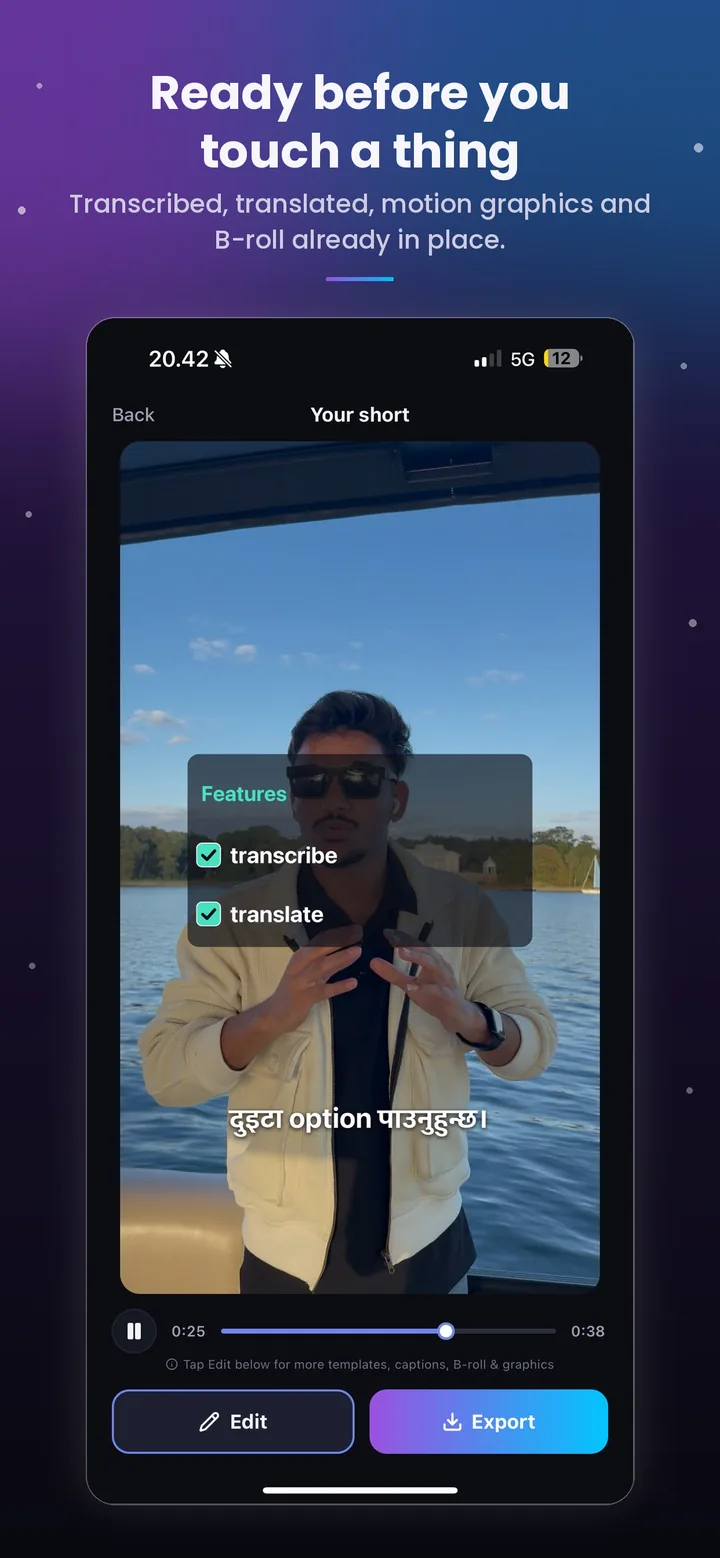
KatKut AI transcribes your speech with word-level timing, writes the captions (translated if you asked), finds matching footage, places the graphics and writes the hook. Progress is shown stage by stage, and the finished short plays as soon as it is ready.
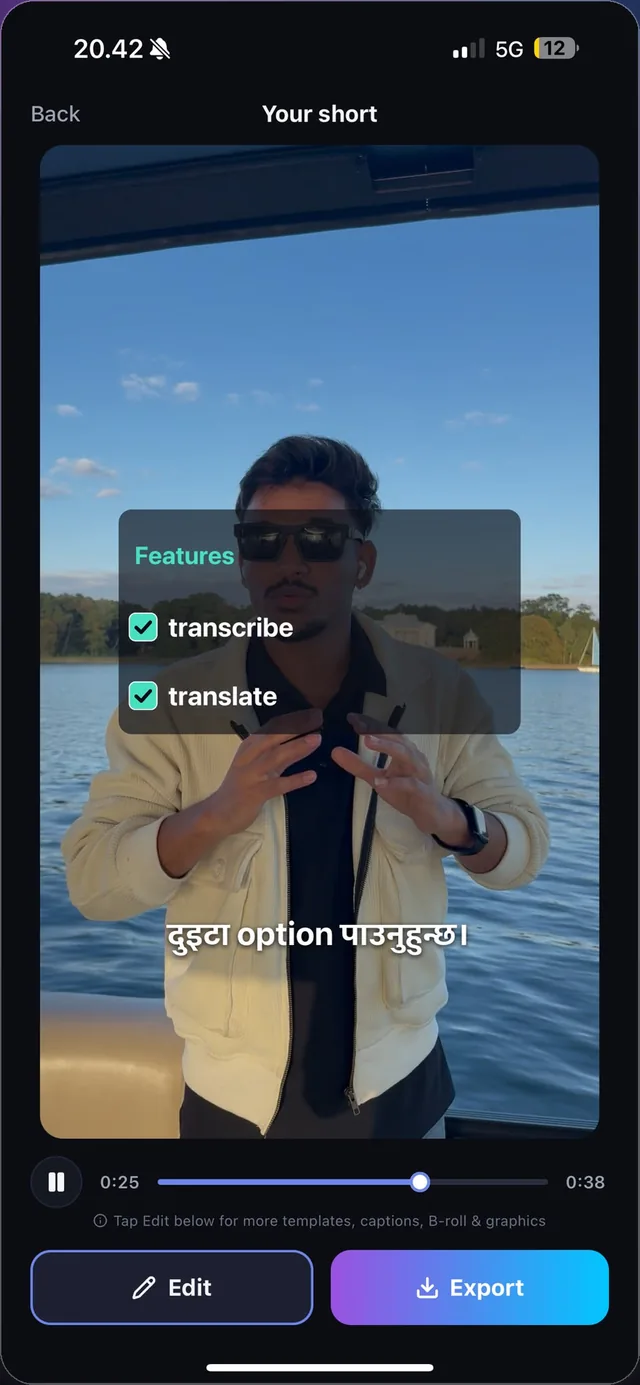
Tap Edit to change anything: rewrite or retime a caption, move or remove a cutaway, pick a different design, colour or font for a graphic or the hook, or switch caption style. Every change can be undone, and the video is not re-encoded while you edit.
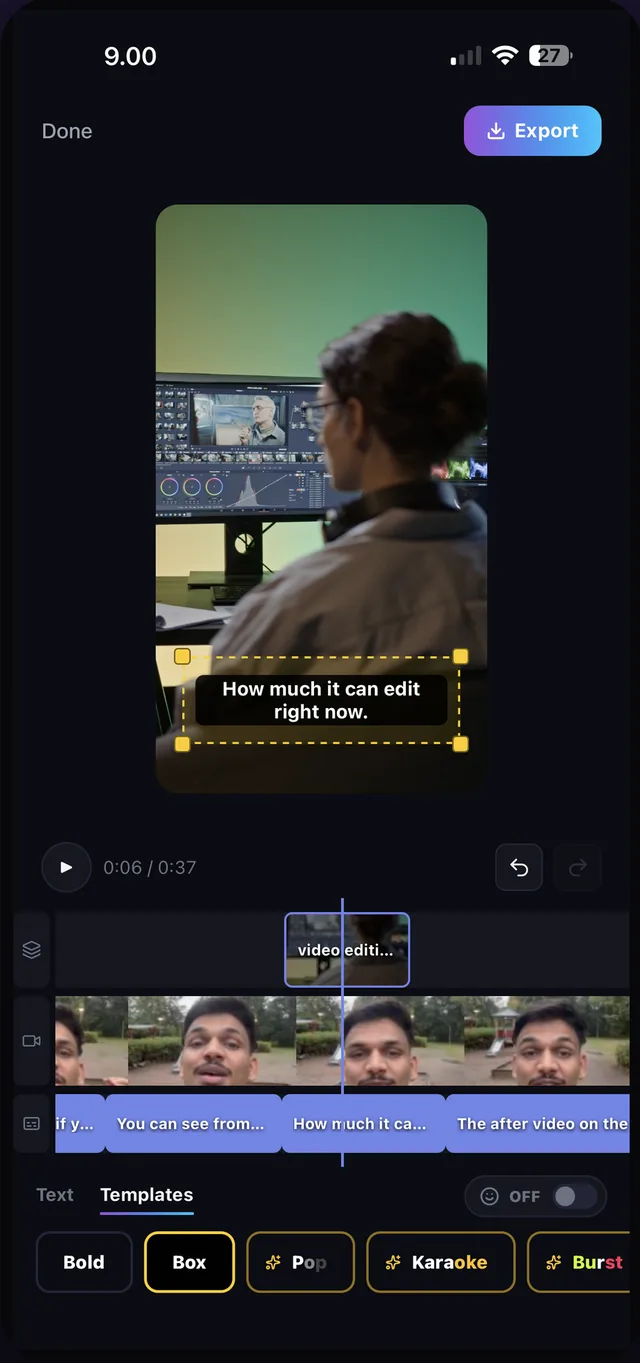
One tap renders the final video on your phone and saves it to your gallery, with shortcuts to TikTok, Instagram and CapCut. Add music or a voiceover in your usual app if you want to.
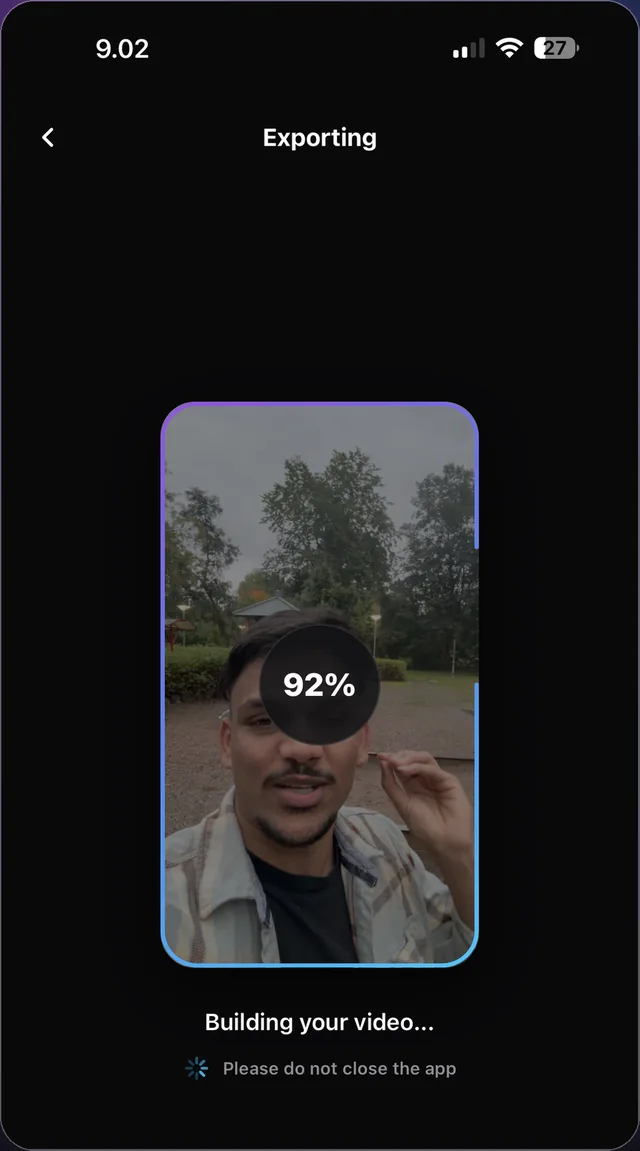
Speak in any of 101 languages and caption in any of 140, in the native script or in Roman letters.
KatKut AI exports vertical 9:16 video, the shape TikTok, Instagram Reels and YouTube Shorts use. Captions are burned into the picture, so they show on every platform and for people watching on mute. When the export finishes, the video is in your gallery with shortcuts to TikTok, Instagram and CapCut; upload it to YouTube Shorts from your gallery.
If your video is you speaking to the camera, KatKut AI removes most of the editing between recording and posting.
Post captioned TikToks, Reels and Shorts without opening a timeline.
Speak Spanish, Japanese, Turkish, Hindi, Arabic or any of 101 languages and caption in your own script, in Roman letters, or in another language.
Talk about a place and get footage of it, a pin on the map, or the route you took.
Say the steps and they can appear as a numbered list; say a percentage and a ring fills to it.
Say the price on camera and it can appear as an animated price tag.
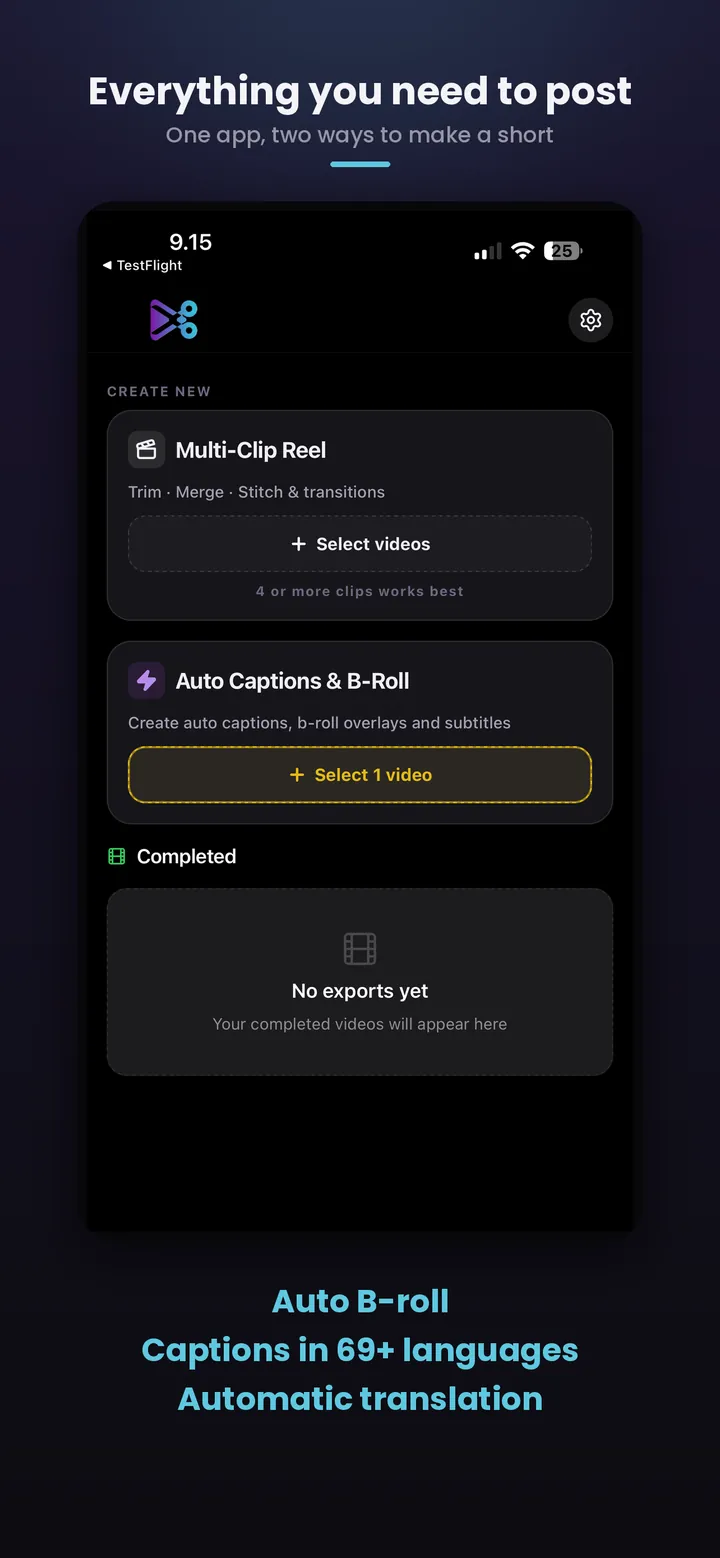
Real screens from KatKut AI on iPhone. Swipe to scroll.
Swipe or scroll →
Shot a day of short clips? Pick them all. KatKut AI scores every clip for sharpness, exposure, frozen frames and sound, keeps the best moments, and cuts a 9:16 reel at the length you choose, from under 30 seconds to over two minutes. Five styles: Auto, Travel & Adventure, Mini Vlog, Food & Cooking and Unboxing & Style. It decides clip by clip whether to keep the sound, and landscape clips get a blurred fill instead of black bars.
Multi-Clip Reel runs entirely on your phone; no part of your footage is uploaded. Read more about Multi-Clip Reel.
We would rather you know exactly how it works than read a vague promise.
KatKut AI never uploads the video itself. It extracts the audio track on-device and sends only that for transcription. Rendering and export happen on your phone.
The audio track goes to our speech-to-text provider; the resulting text transcript goes to an AI model to write captions, the hook and B-roll search terms. Neither is stored on our servers.
Analysis, selection and export all run locally. Nothing about your clips is sent anywhere.
Read the full privacy policy, including which providers are involved.
Every feature is on every plan, Free included. Paid plans add video minutes and AI-enhanced minutes, allow longer videos, and remove the watermark and ads.
$0
from $3.99/month
KatKut AI is an AI video editing app for iPhone and Android that turns a talking-head video into a finished vertical short. It adds word-timed captions in 101 languages, translates them into any of 140, cuts in matching B-roll, turns spoken prices, lists, places and dates into motion graphics, and writes an opening hook, all editable before export. A second tool, Multi-Clip Reel, turns many short clips into one reel on your phone.
Yes. KatKut AI is free to download and the free plan includes every feature, with 4 minutes of Studio video a month (up to 2 of them AI-enhanced), videos up to 1 minute long, a watermark on exports and ads. Paid plans remove the watermark and ads: Pro is $3.99 a month for 60 minutes and videos up to 2 minutes, Pro Plus $6.99 for 150 minutes and Pro Max $9.99 for 300 minutes, both with videos up to 5 minutes. The local App Store price may vary.
Yes. KatKut AI is on Google Play for Android and on the App Store for iPhone (iOS 16.4 or later), with the same features on both.
No. Your video file never leaves your phone. To make captions, KatKut AI extracts the audio on your phone and sends only the audio for transcription, and the final video is rendered on the phone. Multi-Clip Reel sends nothing at all. The privacy policy lists every provider involved.
Your video can be spoken in any of 101 languages, including English, Spanish, Portuguese, French, German, Turkish, Arabic, Hindi, Japanese, Korean, Chinese and Nepali, and captions can be written or translated into any of 140. Languages not written in Latin letters can be captioned in their own script or in Roman letters.
Yes. Every caption, B-roll clip, motion graphic and the opening hook can be edited, moved, restyled or deleted on the timeline, with undo and redo. The video is rendered only when you tap Export.
No. KatKut AI keeps your own voice and adds captions, B-roll, graphics and light sound effects. Add music or a voiceover afterwards in the app you post from, such as TikTok, Instagram or CapCut.
Studio is for one video of you talking: it captions, translates and adds B-roll, motion graphics and a hook. Multi-Clip Reel is for many short clips shot across a day: it picks the best moments and cuts them into one reel, entirely on your phone.
More questions about Studio · Accounts, billing and Multi-Clip Reel
Download KatKut AI, pick a video of yourself talking, and get captions, B-roll, graphics and a hook in one pass. Free on iPhone and Android.
Requires iOS 16.4 or later on iPhone. Studio needs a free account (Apple or Google sign-in) so your monthly minutes can be tracked.